This project explores how eye tracking could utilise hands-free video control on YouTube Mobile as a practical input method for everyday use.
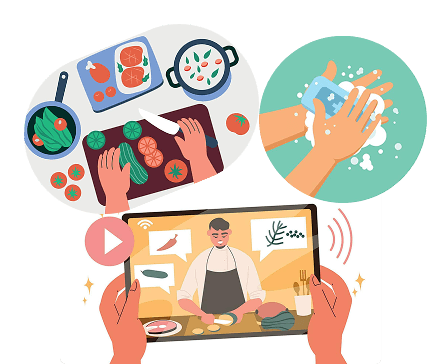
People often use YouTube while multitasking in everyday situations, such as cooking, cleaning, or working with their hands.
In hands-busy situations such as cooking, touch-based video controls interrupt task flow and make simple actions unnecessarily difficult.
Existing interaction methods rely heavily on touch or voice input. These approaches do not reliably support hands-free control in noisy or hands-busy environments.
Design Gap
I explored eye-tracking through a combination of assistive technology case studies, gaming industry applications, and accessibility-focused interaction patterns. The goal was to understand where eye tracking is already reliable, what constraints exist, and how users adapt to non-traditional inputs.


Purpose & Applications
Enables hands-free interaction and precise measurement of eye movements across activities
Used in mental health assessment, learning, neuroarchitecture, and gaming

VR & Social Media
Supports foveated rendering in VR for performance and immersion
Used in social media for gaze-based filters and engagement tracking

Limitations
High hardware cost
Calibration required
Variability across users
Occasional unintentional responses

Future Potential
Enhance accessibility
Support social communication
Enable hands-free interaction in smartphones
Mobile & Accessibility
Combine with voice control and screen overlays for better interaction experience
Potential for integration into everyday apps
I looked into industries where eye tracking technology has already proven its professionalism and reliability.

In Healthcare

In Gaming
If eye tracking can handle high-performance and accessibility-critical tasks, it could also simplify everyday video interactions.
How might we leverage eye tracking to give users intuitive, hands-free control over videos?
Solutions
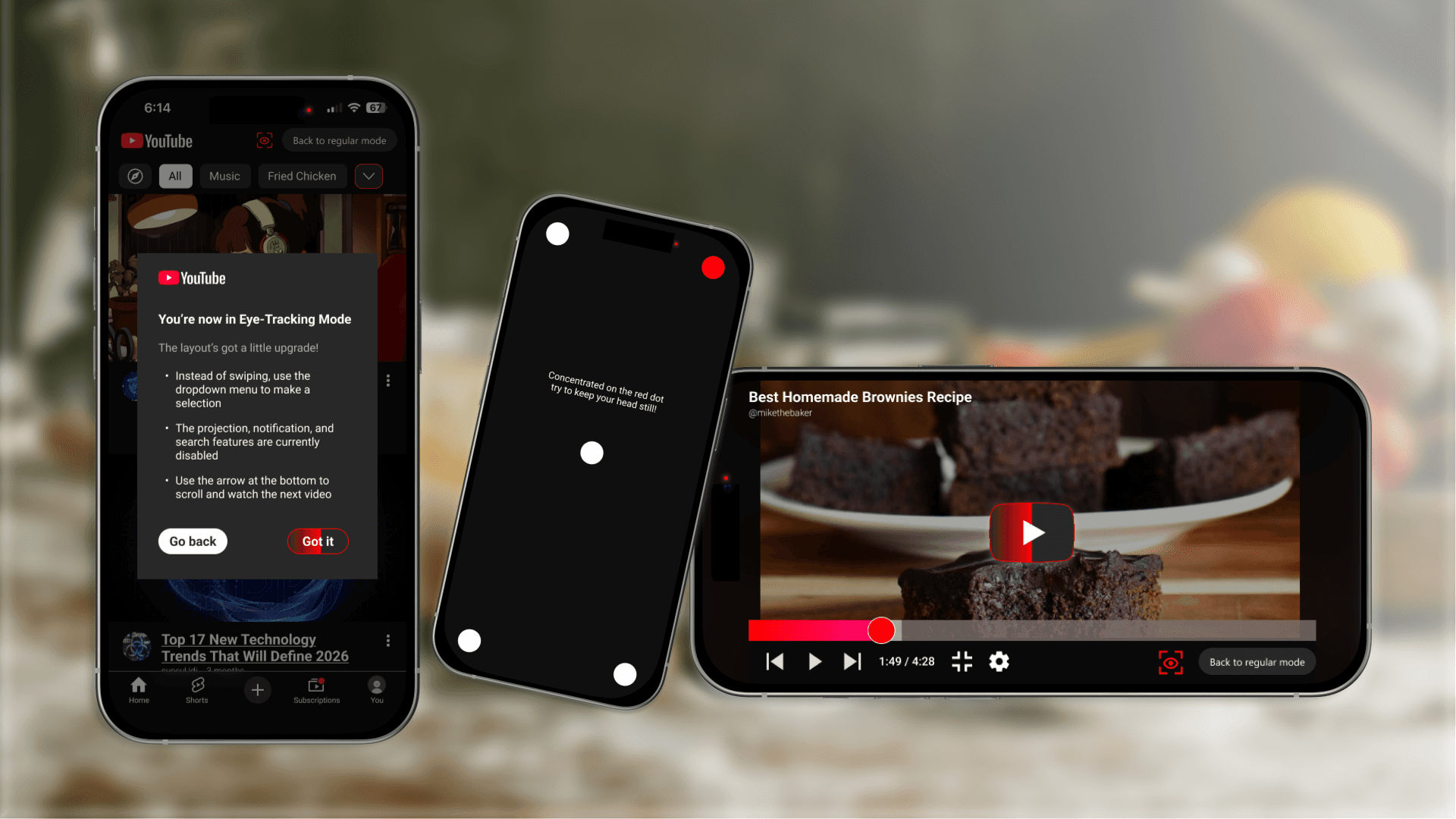
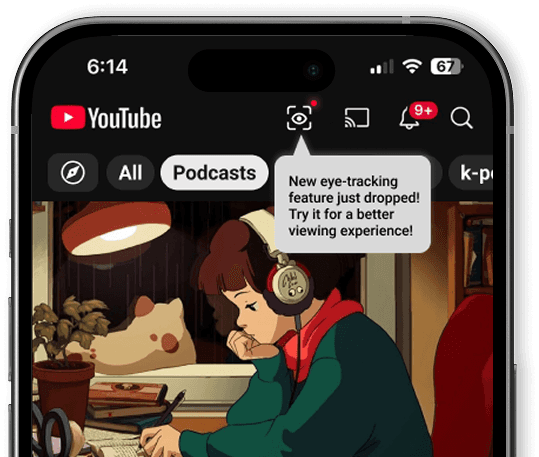
I designed an eye tracking mode for YouTube Mobile that works even in noisy environments where voice control might fail.
A Short Calibration Flow
To reduce accidental input observed in eye-tracking systems, I started with a short calibration flow that helps the system adapt to individual eye movement patterns.
Gaze-Based Navigation & Timed Blinking Selection
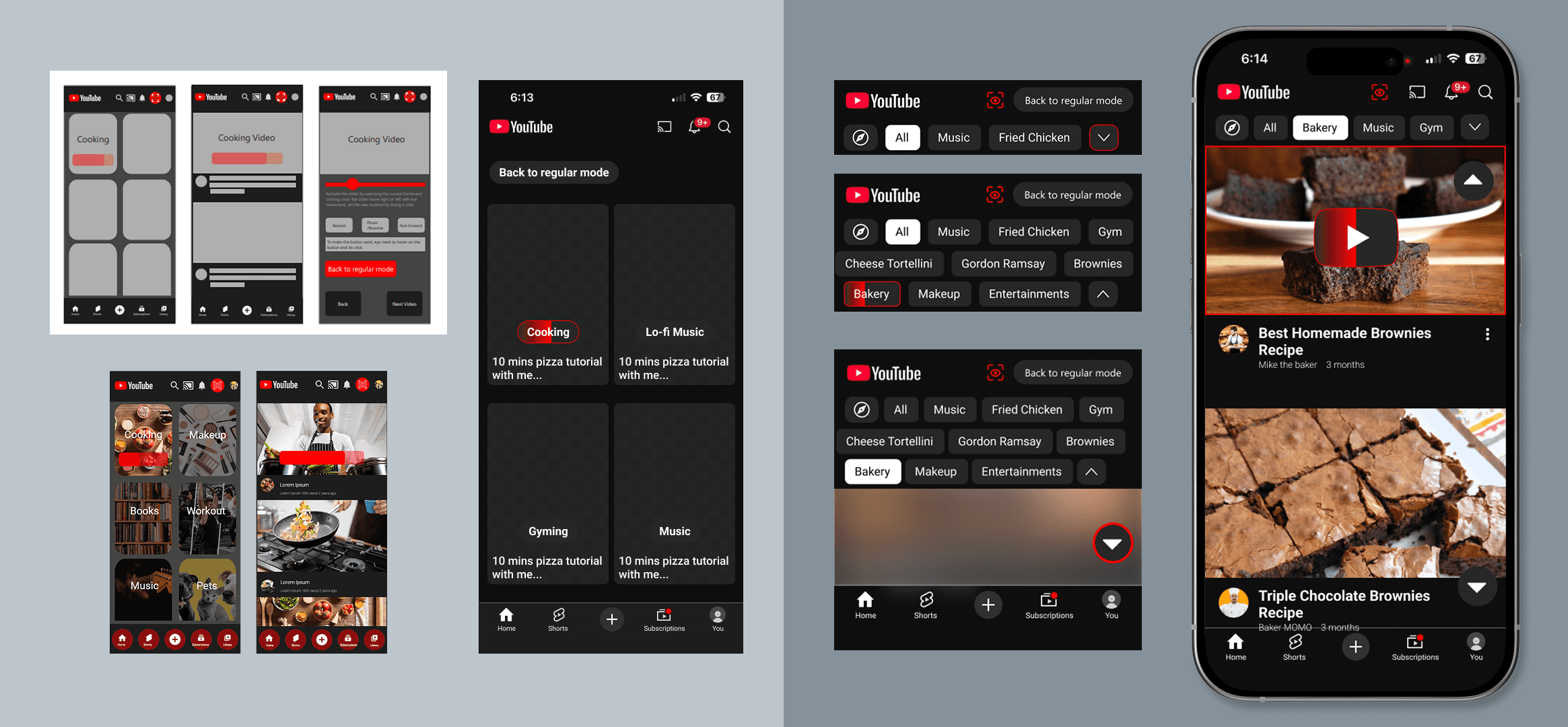
A red outline is revealed when the user looks toward designated areas of the screen. The user can move the focus between controls by looking, and visual highlighting immediately reflects the current target. This approach allows users to explore available actions without committing to a selection.
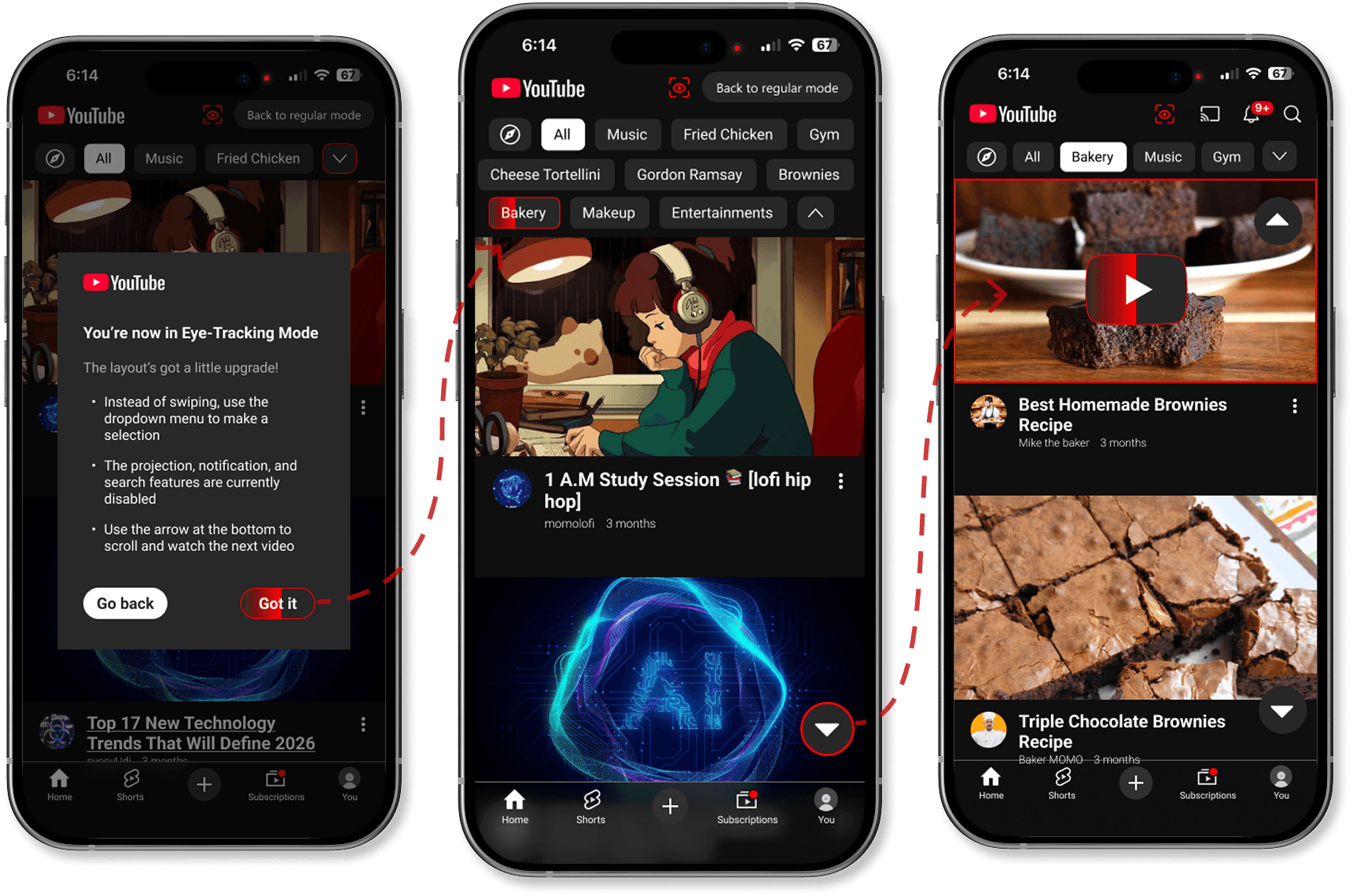
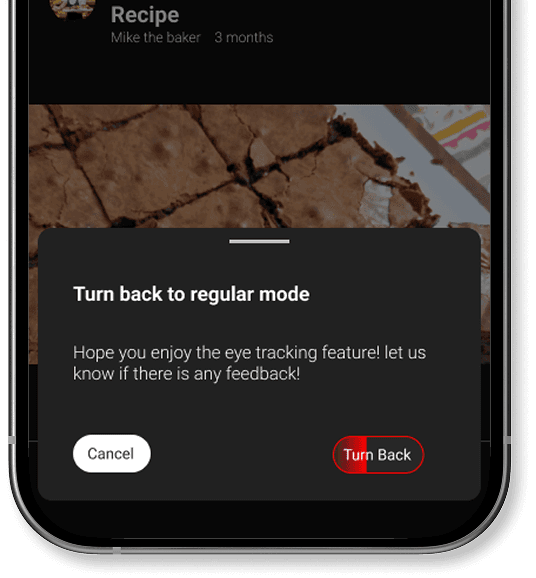
When confirming, select by double eye blinking will reduce unintentional actions, if user lays eyes on a button area for more than just scanning, a progress bar will shows up and respond to action without double blinking required. This, a timed blinking selection would help balance speed with accuracy while keeping interaction lightweight.
Selectable Volume Control
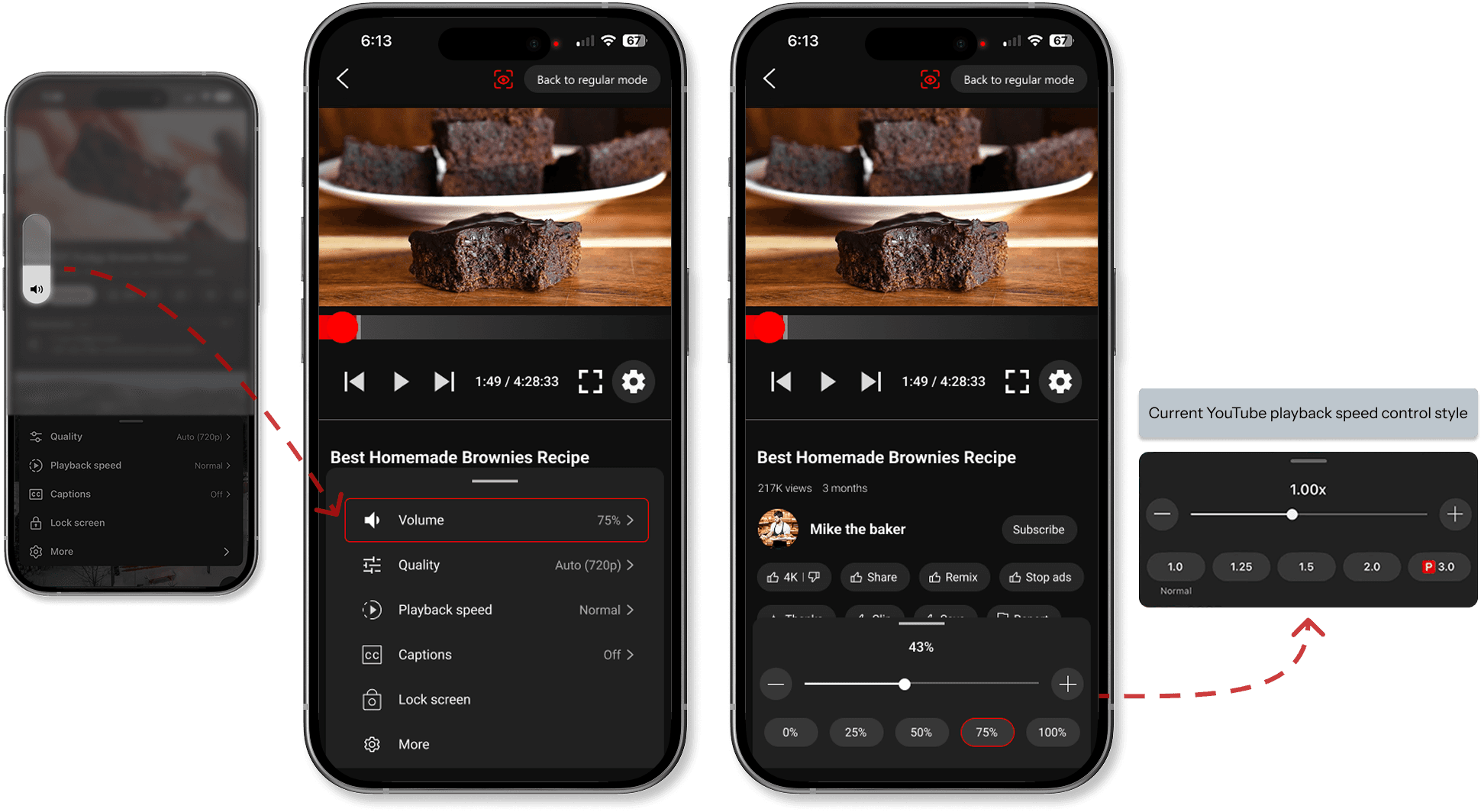
Instead of relying on the phone’s side buttons to adjust the volume, I added volume controls inside the playback settings. The interaction model follows familiar patterns like YouTube’s playback speed control. This design maintains a hands-free interaction experience while preserving brand consistency.
Challenges
Eye-tracking mode Layout
The challenge was balancing fast content discovery with accessibility and consistency, without relying solely on gesture-based navigation.
Key decisions
Reduce search and typing
→ Enlarge the main viewing area
→ Two-column grid for video categories
→ Prioritize genres based on user viewing preferencesImprove discoverability beyond swipe gestures
→ Add visible buttons to expand categories
→ Add arrow overlay for scrolling to support eye tracking and accessibility
Layout Iteration
Takeaways
This project reinforced the importance of grounding interaction concepts in proven technologies and real constraints. If continued, I would validate timing thresholds and blink interactions with users who rely on assistive input daily.